

Step by step
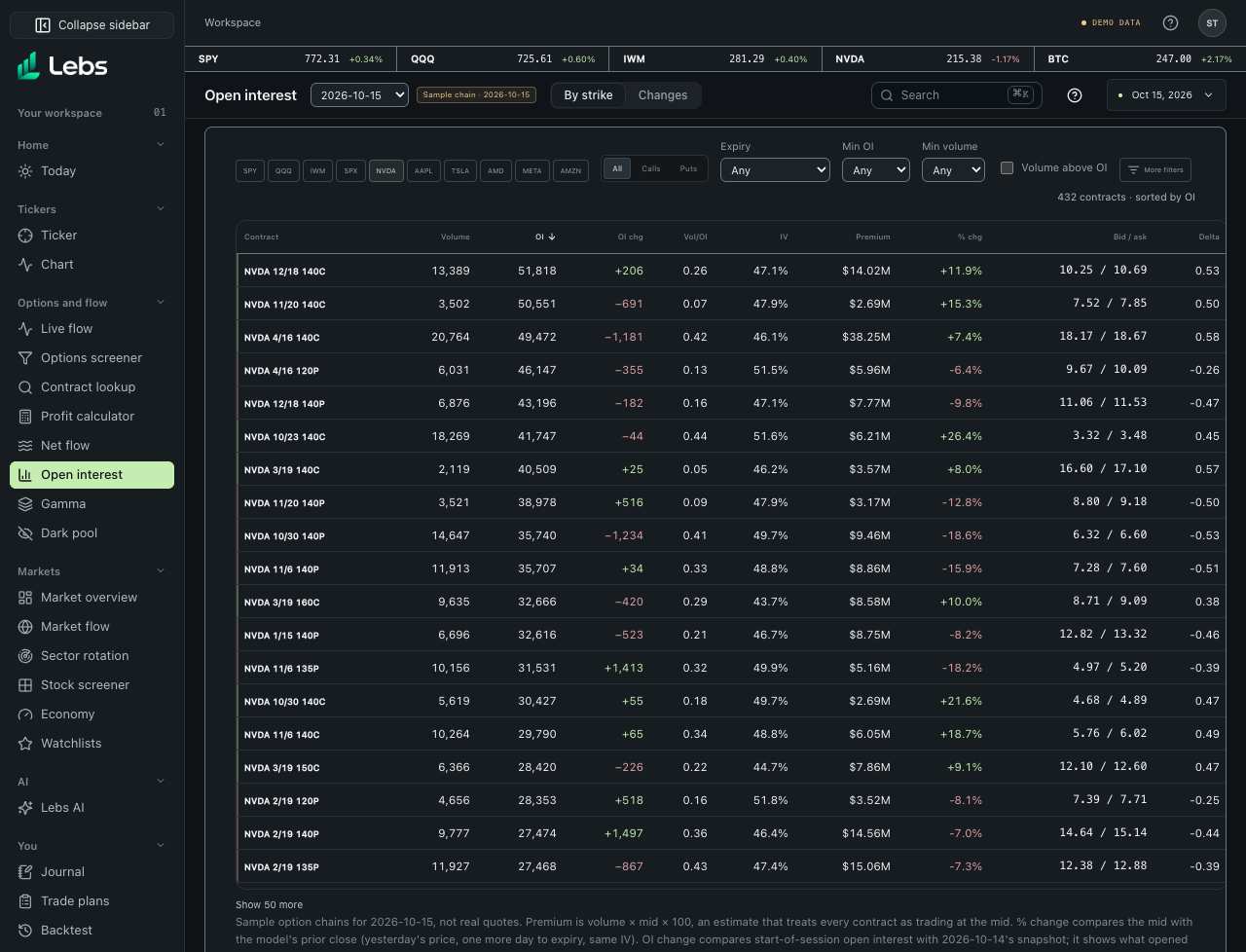
- Open Open interest. It starts on the active ticker if the sample has a chain for it, otherwise on SPY and QQQ, sorted by open interest.
- Read OI (contracts open at the start of the session) and OI chg (the change from the session before's snapshot). Big open interest marks strikes many traders are positioned at. Pick a past session in the page header.
- Use the same filters as the Options screener: calls or puts, expiry window, minimum open interest and volume, and volume above OI.
- Click OI chg to sort by the largest additions, or Vol/OI to find contracts trading more than their open interest.
- Click a contract to open it in Contract lookup.
- Open the Changes tab for the feed: pick a ticker, calls or puts, an expiry, a minimum change and a session. It lists the biggest increases and decreases with the open interest on both dates.
Every control, explained
- Changes
- The biggest increases and decreases in open interest since the session before, with both dates, the change and the % change ('new' when the contract had none). How: Changes tab; link #open-interest/changes. Click a contract to look it up.
- Ticker chips
- Which sample chains to show. How: Click to toggle.
- Contract filters
- Calls or puts, expiry window, minimum open interest, minimum volume, volume above open interest. How: Combine freely.
- OI change
- Start-of-session open interest minus the session before's, from two dated sample snapshots. How: Click the heading to sort by it.
- Contracts table
- The Options screener's columns plus OI change, highest open interest first. How: Click a contract to look it up.
Reading the numbers
- Open interest
- Contracts still open at the start of the day. It's published once a day, after the close.
- OI change
- Contracts opened minus contracts closed since the last session. Rising open interest with volume suggests new positions.
Common mistakes
- Treating a large open-interest strike as a price magnet: it's where positions are, not where price must go.
Limits to know
- Sample open-interest snapshots for 60 sessions ending Oct 15, 2026. Real snapshots come from a licensed feed once a day.
- A change shows contracts opened or closed, not who traded or why.
Try it: Pick SPY, choose Puts and find the strike with the most open interest below the price.
Lebs is for education and research, not investment advice, and it places no orders.