

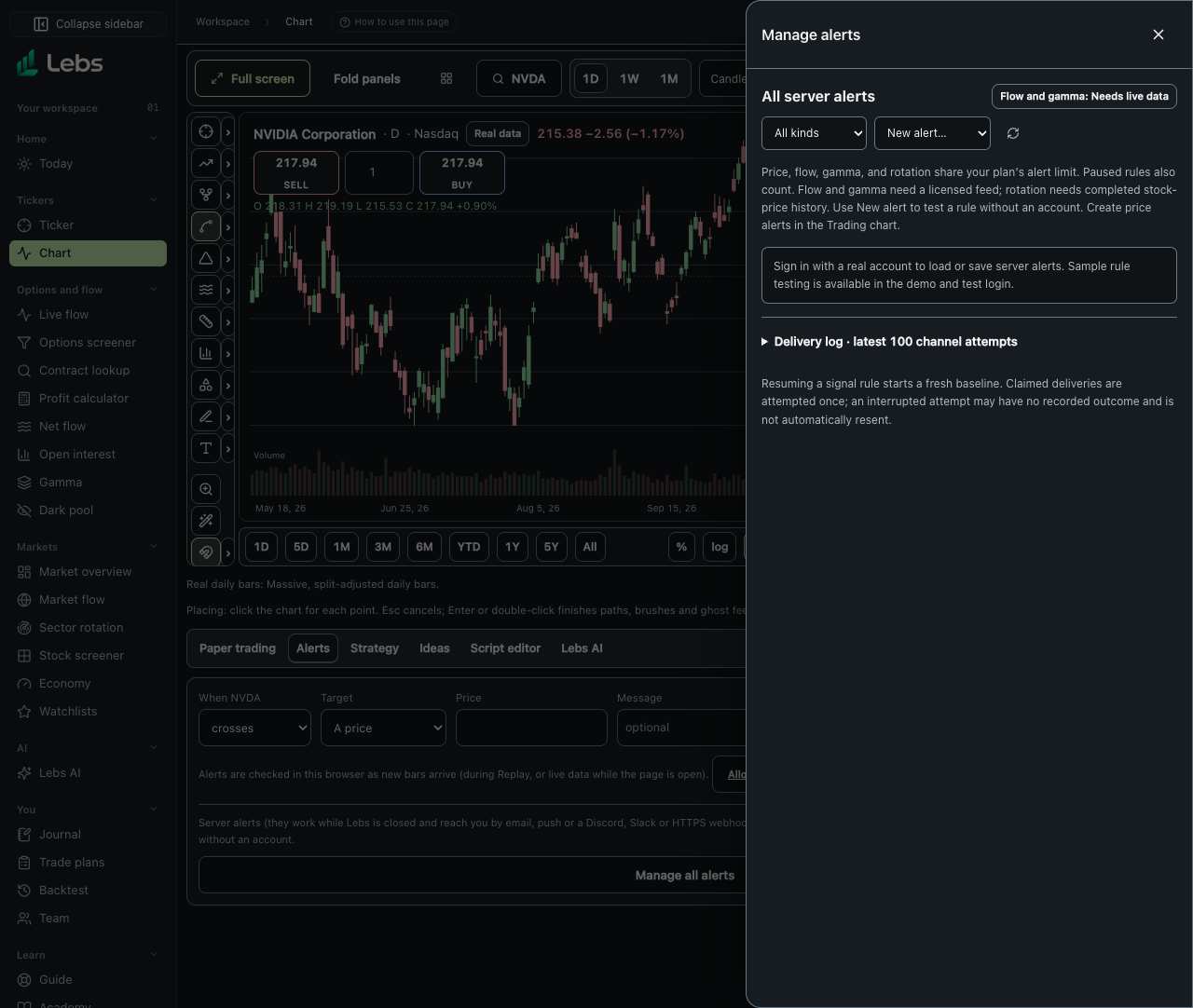
Step by step
- Open Chart, choose Alerts in the bottom panel, and click Manage all alerts. The manager lists price, flow, gamma-level, and sector-rotation alerts together. Saving and loading personal alerts require a real signed-in account; the demo and test login can run sample tests.
- Choose New alert, then Flow filter, Gamma level, or Sector rotation. Name the rule and review its conditions. To create a price alert, use the existing price form in Chart → Alerts.
- Flow rules copy saved Live flow filters. Each new matching print fires once by its source ID. Optionally require at least N matches within M minutes; each subsequent new qualifying match fires, too. The first live batch establishes a baseline instead of announcing old prints. Watchlist context is not stored; Floor only is kept like the other Live flow filters.
- Gamma rules follow the ticker's current call wall, put wall, or gamma flip. Choose either crossing direction or both. Two dated observations are needed; a level moving past a stationary price does not trigger a price crossing. A missing flip remains unavailable.
- Rotation rules fire when a sector ETF enters a chosen quadrant on a completed daily or weekly close. The first close establishes a baseline. Daily checks wait until 4 PM New York; weekly checks wait until Friday at 4 PM. The alert model compares the sector/SPY ratio with its trailing 20-period mean and measures the change in relative strength over five periods. The current Rotation Map paths remain illustrative.
- Choose email, push, or an HTTPS webhook, then save. Flow and gamma show Needs live data until an operator connects a licensed feed. Rotation needs a configured stock provider and enough completed closing history. A saved rule alone does not enable a data source or delivery service.
- Click Test on past sessions before saving. The browser reads only the advertised sample sessions and shows when the rule would have fired, labeled Sample, for testing the rule. It sends nothing and never changes the live rule's state. The sample has 60 dated gamma snapshots, so gamma tests compare each pair of sessions; it has no sector ETF history, so rotation tests report insufficient history rather than inventing events.
- Use Pause, Resume, Edit, or Delete on a saved alert. Delete requires confirmation and removes its delivery history. Resuming a signal rule starts a fresh baseline. Open Delivery log to inspect the latest 100 channel attempts, including queued, canceled, delivered, and failed attempts.
- Buttons, menus and fields use the shared controls in Light, Dark or System. Without a licensed feed, a Needs live data label sits beside the manager title. An empty list explains how to add the first alert, and Show all kinds clears the kind filter.
Every control, explained
- Manage all alerts
- One owner-only list for all four alert kinds, with last-fired time and pause, edit, and delete actions. How: Chart → Alerts → Manage all alerts. Filter by kind or refresh the list.
- New alert
- Creates flow-filter, gamma-level, or sector-rotation rules. How: Choose a kind, review its settings, and select at least one delivery channel.
- Match window
- An optional threshold of N distinct matching prints in M minutes, including the boundary. How: Enable Require several matches in a window in a flow alert. Each qualifying new print fires once.
- Test on past sessions
- A read-only sample replay, not a live notification or a forecast. How: Click the test button in any signal-alert sheet; read the event list and any missing-history explanation.
- Delivery channels
- Verified account email, enabled push devices, and public HTTPS webhooks. How: Select at least one. Turning on push can request this browser's notification permission. Service credentials must already be configured.
- Delivery log
- One row per channel attempt. Queued deliveries wait for a later runner batch. How: Expand the log in the manager. A claimed attempt without an outcome may have been interrupted and is not automatically resent.
Reading the numbers
- Needs live data
- Flow and gamma server checks are disabled until a licensed options source is configured. Sample prints never trigger server deliveries.
- Quadrant model
- The versioned relative-strength-20-momentum-5-v1 calculation over completed sector ETF and SPY closes. It is an estimate, not an exchange observation or investment recommendation.
Limits to know
- All stored alerts, including paused rules, share the same plan limit. Email, push, and webhooks require their services to be configured.
- The flow state supports up to 8,192 matching prints over 24 hours and fails closed if full. Narrow a very broad rule. Contextual watchlist state and unavailable fields are not silently saved.
- Sample coverage is limited to the sessions and source observations provided. Missing or stale live data is skipped. No sample data is substituted into the server runner.
- Pause, rule edits, and destination edits cancel unclaimed pending deliveries. Already claimed attempts may finish. Delivery attempts are not automatically retried, so an interrupted worker can leave an uncertain outcome.
Try it: Open Manage all alerts, create a flow-filter rule for SPY, and test it on past sessions. Add a three-in-five-minute match window, test again, and compare the sample event lists.
Lebs is for education and research, not investment advice, and it places no orders.